
Blog
-
Why there is no “Google Gesture” sign-to-speech translator
Aside from the irresponsible journalism that propagated this story in the first place, the basis for the concept is fundamentally flawed. There cannot be such thing as a wristband a signer can wear that will translate their signed language into spoken language; why? Because signed language is not just on the hands! Signed language is on the face and the body as well. The grammar of signed language is made through eyebrow, mouth, cheek, and even nose movements. Signed language is made with head nods and shakes, head and body tilts, and even shoulder shrugs. Anyone who ever took an introductory course in ASL should know this.
There is one other important flaw in the concept of a gesture-to-speech translation machine, and that is the notion that there is one “sign language.” No, folks, “sign language” is not universal! No sir, no ma’am. Even if Google were able to take input from a human interface device located on a signer’s body–even if that included all the points on the face and body necessary to read signed language–Google would have to add hundreds of signed languages into their Google Translate engine. Language is culture-bound, just as gesture is culture-bound. I’d like to see how this supposed “Google Gesture” would translate the thumbs up gesture, which can mean something like “up yours” in countries other than the United States.
American Sign Language (note that the A in ASL stands for American; i.e., not universal) is a much richer and more complex language than people give it credit for; in fact, so are all the signed languages in the world. Until enough people learn to appreciate the sophistication, complexity, and diversity of signed languages, we will continue to swallow false stories like this hook, line, and sinker.
-

Blog 2014: Adding social media links
Where I learned how to add social media buttons, and where I found them
Today, I added custom social media links to my secondary menu, which appears on the left sidebar in the Twenty-Fourteen WordPress theme I’m using now. I did this because Twenty-Fourteen doesn’t have social links in the theme, and I wanted them near the top of my blog layout. To learn how to add them, I started by reading the WordPress Support article “Add Social Media Buttons to Your Sidebar or Footer.” When I did a Google Image search of ‘free social media icons’, as suggested in the support article, I found my favorite icon set at GraphicsFuel: 20 Popular Social Media Icons (PSD & PNG). Thank you, GraphicsFuel!
What code I used
I used the HTML shown on the support article, but I amended it with a bit of CSS to put some padding (space) to the right and bottom of the buttons so they didn’t look stuck together. While I was at it, I took the
widthandheightproperties out of the HTML and put them into the CSS where they belong (since they are style, not structure). Here is a sample of thestylecode I added to theimgelement for my customization:style="width:35px;height:35px;padding-right:5px;padding-bottom:5px;"
How it looks today
Of course things will change with time as I change themes or widgets, but here is what my blog looks like as of this writing, with the new social media button links I added to the left sidebar:
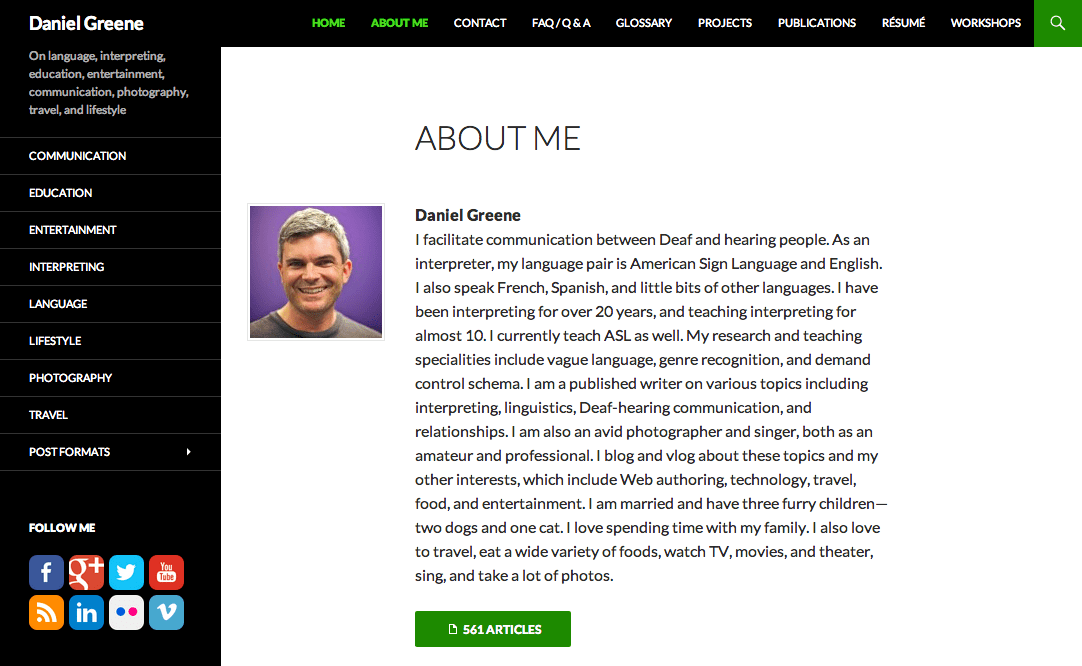
A screenshot of the front page of my blog on July 7, 2014 Why I wrote this
I always like to share what I learn with others who might benefit, and I like to give credit where it’s due. I hope you find it helpful. Please let me know.
 Daniel Greene