I posted the following comment to the FCC regarding Telecommunications Relay Service (TRS) – Docket 03-123.
I have been told that the FCC considers sign language interpreters to be “equivalent to a dial tone,” and that we are not mandated reporters of abuse. The problem with this is that we are human beings, and unlike text relay operators, we video interpreters actually witness the the sign language users with our eyes. In the dreaded event that a video interpreter were to witness something like a person having a heart attack or stroke, or see a person beaten, raped, or even shot dead before our very eyes, it would cause us irreparable psychological damage if we were forbidden to report it. Granted, a Communications Assistant who performs text relay services may hear something terrible on the voice line, but they can never know for sure what they heard. Video Interpreters (VI’s) are unlike Communications Assistants (CA’s) in that we are eye witnesses to whatever goes on in front of the sign language user’s camera. We should be considered mandated reporters both for the sake of our clients and ourselves. It is a human being’s natural desire, nay, need to “do something about it” when we are witness to abuse. I could not live with myself if I witness such atrocities and did not report it. It doesn’t do our clients any good either for us to remain silent in such dreadful circumstances.
You will notice that I use the term “Video Interpreter (VI)” in my letter to you. This is the term that has gained universal acceptance among the profession of sign language interpreting. Our work differs from that of CA’s in so many ways that (more…)
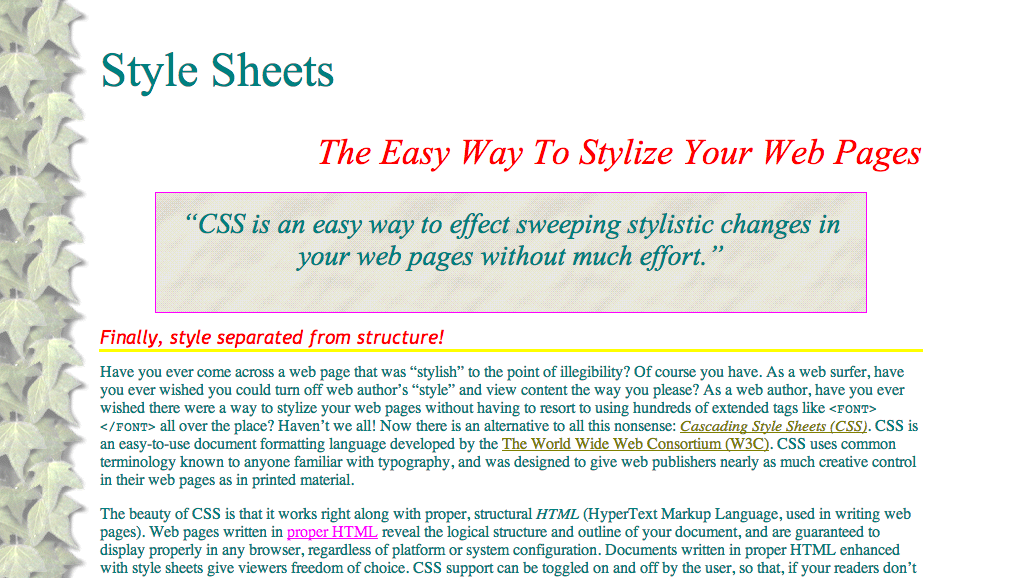
“CSS is an easy way to effect sweeping stylistic changes in your web pages without much effort.”
Finally, style separated from structure!
Have you ever come across a web page that was “stylish” to the point of illegibility? Of course you have. As a web surfer, have you ever wished you could turn off web author’s “style” and view content the way you please? As a web author, have you ever wished there were a way to stylize your web pages without having to resort to using hundreds of extended tags like all over the place? Haven’t we all! Now there is an alternative to all this nonsense: Cascading Style Sheets (CSS). CSS is an easy-to-use document formatting language developed by the The World Wide Web Consortium (W3C). CSS uses common terminology known to anyone familiar with typography, and was designed to give web publishers nearly as much creative control in their web pages as in printed material. The beauty of CSS is that it works right along with proper, structural HTML (HyperText Markup Language, used in writing web pages). Web pages written in proper HTML reveal the logical structure and outline of your document, and are guaranteed to display properly in any browser, regardless of platform or system configuration. Documents written in proper HTML enhanced with style sheets give viewers freedom of choice. CSS support can be toggled on and off by the user, so that, if your readers don’t like your style, but still want to read your content, they can turn off your “kewl” blue on black color scheme, and read your offerings in a more palatable palette. 😉 With style sheets, both web developers and web surfers have more control than ever. Developers have even more control with CSS than they had with extended HTML markup, and viewers finally have the freedom to view web content as they please, without having illegible styles forced upon them. This divorcement of style from structure is also a very good thing for the visually disabled, (including the color-blind!) who rely on text-to-speech synthesizers, and/or special color schemes and enlarged text to make Web content accessible. CSS allows for this by keeping out of the way of HTML.
“CSS takes style specification much further than extended HTML, kludges, and hacks ever could.”
Much more powerful than extended markup!
CSS takes style specification much further than extended HTML, kludges, and hacks ever could. With CSS, you can control not only the font face, size, and color, but also the line height, line spacing, and even letter and word spacing! You can create fancy effects like overlapping text. You can specify text color, background color (or image), border style, border thickness, border color, margins, padding, etc. for every single element of the document, not just for the body! CSS is an easy way to effect sweeping stylistic control in your web pages without much effort. Rather than inserting extended markup tags everywhere you want to change font face, color, size, etc., you make one declaration that applies to every instance of an element. For example, to achieve the level-three header effect on this page, I simply made a single CSS declaration for the H3 element in my style sheet, and every level-three header is affected the same throughout the document! Any time I change my mind, and want to change the style of my document, all I have to change is a line or two in my style sheet; I don’t have to touch the actual page at all! In fact, you can even create one style sheet to use for all the pages in your web site, which saves a lot of formatting time, reduces document size and download time, and brings design unity to your pages.
Some peeks at CSS…
You may look at the style sheet that’s stylizing this page. You will see how relatively simple it is to create a style sheet that determines the style of a plain HTML document.
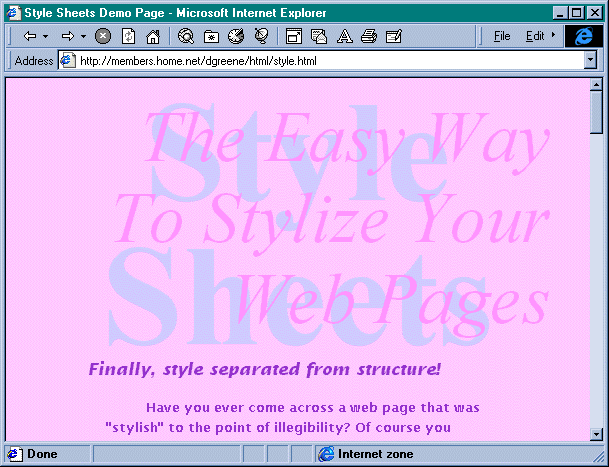
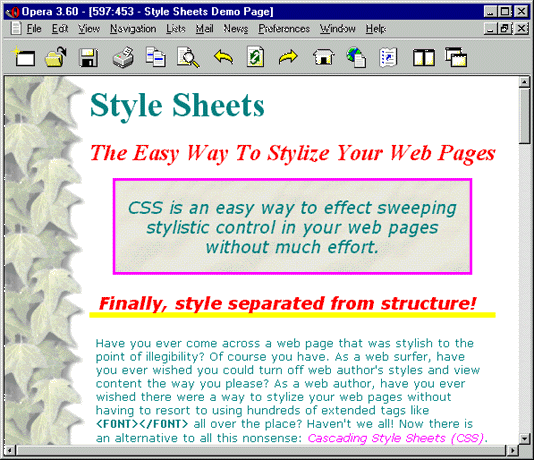
Screenshot of an early version of this page as rendered in Microsoft Internet Explorer 3Screenshot of how this page looked in my “Pretty” stylesheet in Opera 3.6
Want to view this page in different “themes”?
If your browser supports user selection of style sheets, you can select from a number of CSS style sheets I’ve written. See the magic of CSS as the page transforms before your very eyes! (In Mozilla browsers, for example, you go to the menu bar and select View, Page Style…) [I actually wrote five different style sheets for this so that people could view the page and see the changes, but now I’m taking it easy and letting the nice people at WordPress.com do the CSS for me.]
What they say about this page…
“‘There are some really great improvements in CSS2,’ said Web developer Daniel Greene, who has been working with the style sheets since they were introduced.” —Chris Oaks, Wired News
“Besides Microsoft’s dubious CSS Gallery, Daniel’s pages were one of the first places to see Style Sheets in action, back in the early days. : )” —Sue Simms, CSS Pointers
“Esta es una de las primeras páginas que hizo uso real de CSS1, realizada por Daniel Greene.” —Juan R. Pozo, HTML con Clase [Translation: This is one of the first pages that made actual use of real CSS1, brought to you by Daniel Greene.]
“Daniel Greene’s Style Sheets demo page has a column of ivy down the left hand side of every page. He’s used this gif to create the effect.” —WestCiv, learn web standards :: side panels
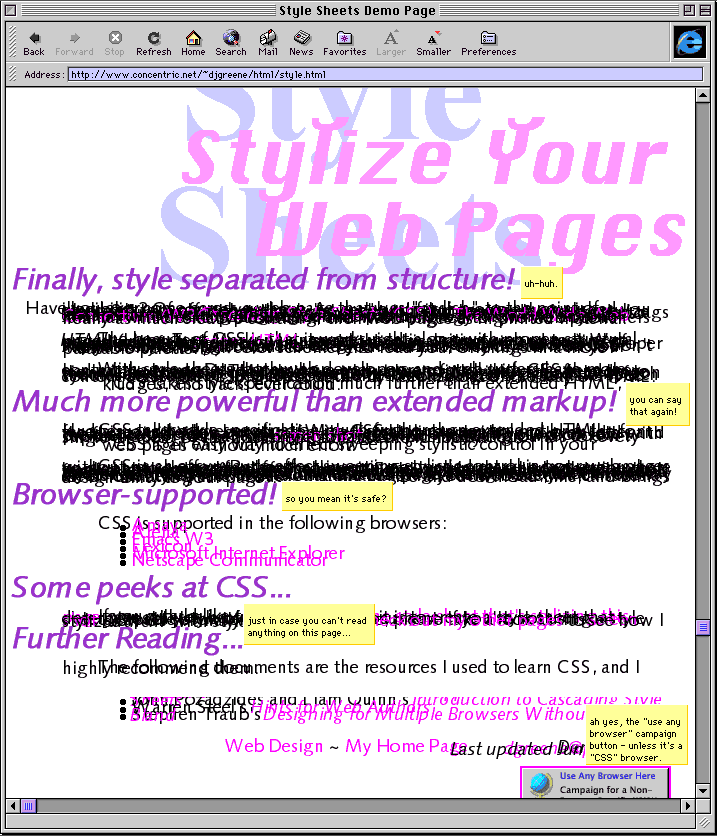
When I first wrote this page in 1996, only one browser (Microsoft Internet Explorer) supported CSS. As more browsers supported CSS, I maintained an updated list. Now, I don’t know of any browser that doesn’t support CSS! Browsers don’t all render CSS in the same way, however, and they never have. It’s no wonder I was one of the first people on the Web to publish in CSS; I was an amateur and I wasn’t going to lose any money or business if certain people couldn’t read some of my pages. It was all experimental! You can see how dangerous it was to publish with CSS by looking at the following:
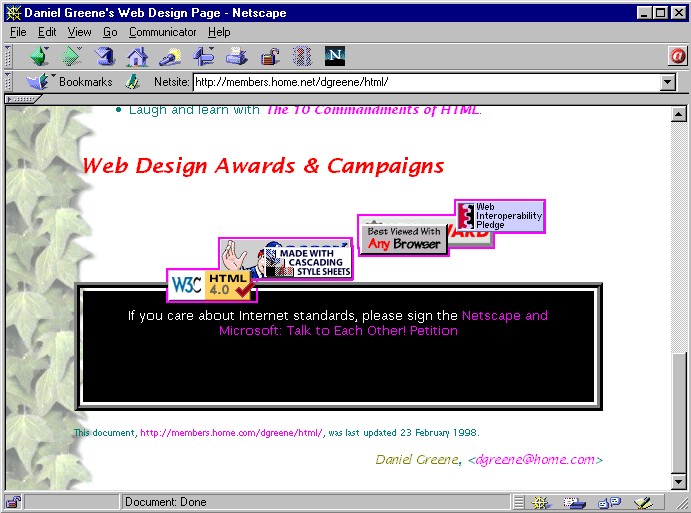
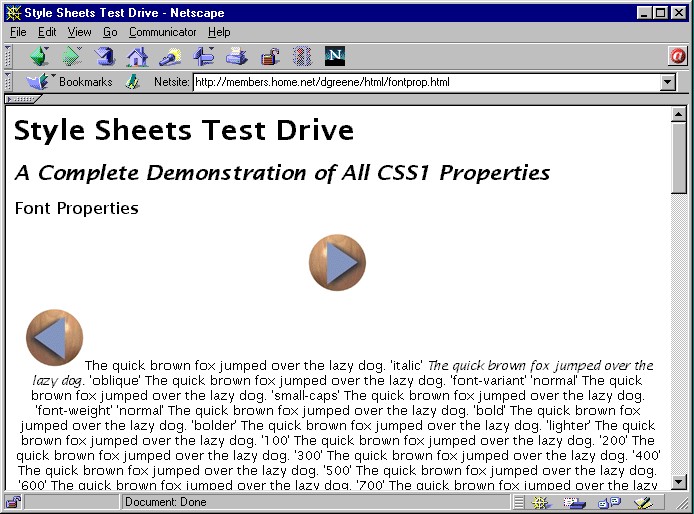
The sad shape of this page in IE MacScreenshot of how Netscape slaughtered this page in the early daysScreenshot of how Netscape wrecked my Font Properties Demo Page in the early days
Daniel Greene originally published this document on danielgreene.com as style.html in August 1996, making it one of the first few documents on the Web to use CSS.
This site was originally my “Notes on This Site” page, and it has turned into something of a guide to best practices in Web design, which is how I present it now, in the hope that people seeking to learn how to write better Web sites will read this and use what they learn here to make the Web a better place for everyone. I use the first person, and use examples from my own Web site, but what I am doing here, anyone can do to make their Web site more accessible, speedy, stylish, and device-independent.
Accessibility!
Although this site looks nifty when viewed with a Web browser that supports Cascading Style Sheets, it was written to look good and be accessible to all browsers:
The pages were written in XHTML.
The graphics have alternative text.
There are no BGCOLOR or FONT COLOR tags directing your browser to view entire pages with certain text on a certain background, so if you don’t like the background or text colors, you have the power to change that in your browser’s user preferences.
You do not need a high-speed connection to enjoy this site! My pages load fast!
Even my style sheets were written with accessibility in mind:
Rather than specifying absolute font sizes, I used relative sizes, so that you could still control the text size to best suit your visual abilities.
I designed some of my style sheets with a 16-Color Palette, and designed the color schemes with contrast in mind, so they should look great on any monitor, from monochrome, to 16 colors, to 16 million colors.
I took into account different monitor and window sizes, and designed the pages to be rescalable.
In addition:
I wrote these pages conscientiously, in logical, structural XHTML. For example, I used STRONG and EM rather than B and I, to give viewers the freedom to decide how they want emphasized text to appear, rather than forcing a certain appearance on them.
I have made these pages light on graphics and strong on content, since I feel the latter is more important. I hope not only to wow you with appearance, but entertain and inform you with content.
Finally, I spell-checked, proof-read, and validated all these pages.
Speed!
This site exploits technologies to produce attractive visual effects without hogging bandwidth or excluding anyone. Speed is very important in Web surfing, and I have written the pages on this Web site to come up instantly for you, while still being fun to look at. I don’t know about you, but I am tired of pages that take forever to download and offer little actual content, and I’m determined not to make you suffer that kind of nonsense.
In 1996, when Cascading Style Sheets was a new technology, I decided to be a little bit «avant-garde» and re-write my entire Web site in pure, logical, structural HTML enhanced with style sheets. This way, each page of my site is guaranteed to be properly displayed on any browser, under any operating system, with any size monitor, in any size window, in any size and style font, and with any color text and background. To find out more about style sheets, read my Style Sheets Demo Page.
Other than enhancing a Web page with brilliant color, playing with typography is one of the simplest ways you can add visual interest to a Web page without making it take a long time to download. The style sheets I wrote for the pages of this Web site exploit various text colors and fonts. Using these fonts, I can bring visual excitement and style to you in an instant. Rather than loading my page with graphics that take forever for you to download, I can use the art of typography, and the technology of calling upon resources already in place on your computer.
Device-Independence!
You can view this Web page with any browser, under any operating system, and on any computer with any monitor, at any resolution, window size, and font size. You can stylize it and colorize it as you like, by changing the user preferences in your Web browser, or you may view it in my style with a browser that supports Cascading Style Sheets. Style Sheets are a vital tool to allow Web designers to stylize their Web pages without sacrificing viewers’ rights to unadulterated text.
Daniel Greene first published this page on danielgreene.com as design.html in 1996.
On April 2, SCRID sponsored a workshop entitled “The ADA and Interpreters” on the Palomar College campus in San Marcos. The four-hour workshop, presented by Darlene West, gave participants an overview of the Americans with Disabilities Act as it is written, interpreted and enforced. Darlene’s bold and animated style brought to life the five titles of the ADA covering employment, state and local government, public accommodations, telecommunications, and miscellaneous provisions. She peppered her lecture with vivid anecdotes, lifting the text of the ADA off the page and into the realm of everyday life.
Darlene discussed how to successfully navigate some of the loopholes of the ADA, such as “reasonable accommodation” and “readily achievable” versus “undue hardship” and “direct threat,” “program accessibility” versus “site accessibility,” and “fundamental alterations.”
She referred to section 35.104 to define the term “qualified interpreter” as required under section 35.160 (“Auxiliary Aids and Services.”) According to ADA section 35.104, a qualified interpreter is, “one who is able to interpret effectively, accurately, and impartially both receptively and expressively, using any necessary specialized vocabulary.”
The workshop itself was made accessible to the deaf via both ASL interpreting and real-time captioning, the latter provided by the firm Words Apart, using Rapidtext Infosign.
Darlene handed out plenty of supplemental literature and supplied the following toll-free phone numbers for those who wish to pursue more detailed information: 1-800-USA-ABLE, 1-800-USA-EEOC, and for TTY, 1-800-800-3302.
Darlene West is the co-owner of Accommodating Ideas, Inc., an enterprise based in North Hollywood established to consult with businesses to provide training in how to comply with the Americans with Disabilities Act. Her firm also handles the provision of interpreting services and the rental and sale of auxiliary aids. Ms. West holds a CAD level V “Master” Certificate of Competence, and is a veteran ASL interpreter.
This review originally appeared in the SCRID newsletter in June 1994. Darlene West’s name has since changed to Darlene Geyer. Hyperlinks were added in 2012 for publication on danielgreene.com.

 Daniel Greene
