“If I was you, I wouldn’t have went there and did that.”
“This agency is ran by the Deaf.”
“I move that the board purchases a new computer.”
“It is mandatory that she is on time, and that she has fun and does a good job.”
Do the above phrases sound right to you? If you answered no, your ear is finely tuned to the proper use of tenses in English grammar. If you answered yes, or were unsure, you may be running the risk of annoying—or worse, confusing—your hearing audience, and making a Deaf person sound less educated than s/he is.
This article will cover two of the most often misused tenses in the English language: the past participle and the subjunctive. In some regional dialects, these tenses seem to have disappeared, but they are still very much a part of Standard English. Let’s look at the examples above to see if we can make more sense of them with the proper tenses.
Just as your body is the instrument you use to interpret from English to American Sign Language, your voice is the instrument you use to interpret from American Sign Language to English. This article is about learning to tune that instrument so that you may play it like a virtuoso when giving voice to a deaf person’s signed communication.
Although many people speak throughout their lives without ever giving a second thought to their language or their voices, there is a rich tradition of vocal training and oratory discipline that traces humankind’s history through the millennia. It is said that the great orator Demosthenes, of ancient Greece, overcame his habit of mumbling inaudibly by going to the seashore, filling his mouth full of pebbles, and forcing himself to articulate his words through the pebbles, projecting his voice out beyond the crashing waves. Certainly we interpreters, whose charge it is to render inaudible signed messages into audible spoken messages, could benefit those for whom we interpret by applying some of Demosthenes’ diligence toward developing our own voices.
Here are some of the resources that you may find invaluable in your vocal development:
In what I hope will become an ongoing column, I would like to use this space to address ways in which we can advance our mastery of the spoken word in our sign-to-voice interpretations/transliterations. This column is dedicated to assisting the SDCRID interpreting community in better facilitating communication for both the Deaf and hearing consumers we serve. In mastering spoken communication, we better serve our Deaf clients by matching the eloquence of their signed messages, and we better serve our hearing clients by delivering spoken messages that flow effortlessly through their ears and into their minds.
Article 2 of the RID Code of Ethics admonishes interpreters/transliterators to, “render the message faithfully, always conveying the content and spirit of the speaker using language most readily understood by the person(s) whom they serve” (emphasis mine). If, in the case of sign-to-voice interpretation/transliteration, the “speaker” is Deaf, and the “person(s) whom [we] serve” hear and speak English, then it is our duty to render the message in clearly enunciated, well-projected English, unfettered with linguistic errors that might offend people’s ears and detract from the message.
While we may have a certain degree of leeway in making lexical andsyntactical choices for our sign-to-voice interpretations, it behooves us to render some form of grammatically correct English. Communication professionals, be they newscasters, public speakers, or radio/television announcers, standardize their English grammar and diction for the simple reason that they have important messages to deliver, and they want to deliver them in the most clear and efficient way possible. Shouldn’t we strive for the same standard? Not only is good English usage essential to our credibility as communication professionals; it is an indispensable tool in getting the job done. Grammatically correct English is clearest to the largest number of people, and it is offensive to the least number of people. A listener whose English is not grammatically correct is not likely to balk at the sound of grammatically correct English; however, academics and professionals who have worked to cultivate their English are likely to find grammatically incorrect English distracting, confusing, and even irritating. Allowing our own errors to muddythe message interferes with “render[ing] the message faithfully, using language most readily understood by the person(s) [we] serve.”
We owe it to our Deaf consumers to speak English as well as they would if they were hearing. When interpreting for a deaf person with a college education, you must be prepared to speak like a person with a bachelor’s, master’s, or doctorate degree. If you are interpreting for a Deaf lecturer, chances are that person has studied public speaking; have you? In my opinion, a public speaking class should be a requirement of every Interpreter Training Program. A formal study of public speaking helps you to recognize a speaker’s topics, theses, introductions, arguments, and conclusions. It also teaches you transition words and phrases that speakers use to move from one point to another. Knowing certain patterns of oratory, and practicing them with your own voice, can help you to recognize and predict the same patterns in a Deaf person’s rhetoric. We owe it to both the Deaf speaker and the hearing audience to develop the public speaking skills to match a skilled Deaf speaker’s style and elocution. Likewise, we owe it to our hearing consumers to use our best English with them, for the same reason that we use our best ASL when signing to our Deaf ASL consumers. When we take considerable time and trouble to learn how to sign ASL correctly, we honor Deaf people’s language and culture, and show them that we take our jobs seriously as interpreters. By the same token, when we take the time and trouble to cultivate our English, we honor hearing people’s language and culture, as well as the time and trouble they took to cultivate their English. Just as we show our professional pride to the Deaf community by rendering beautiful ASL interpretations, we show hearing people that we take pride in our jobs as interpreters by rendering beautiful English interpretations.
Let us not forget that, although we may be called “Sign Language Interpreters for the Deaf,” we may as well be called “Spoken Language Interpreters for the Hearing.” It may sound funny, but it’s true; we exist not only to provide the Deaf with access to the hearing world, but also to provide the hearing with access to the Deaf world. Gone are the days when interpreters/transliterators were hired mainly so that the hearing could teach and lecture to the Deaf. As Deaf people advance higher and higher into professional and educational leadership capacities, they have more and more to teach hearing people. In order to meet the challenges of this growing demand, let us develop into a very special kind of communication professionals: cultural and linguistic mediators who have the unique ability to translate elegant signed language into equally elegant spoken language.
This article was originally published in slightly different form in InTouch, the newsletter for the San Diego County chapter of the Registry of Interpreters for the Deaf, in June 1998.
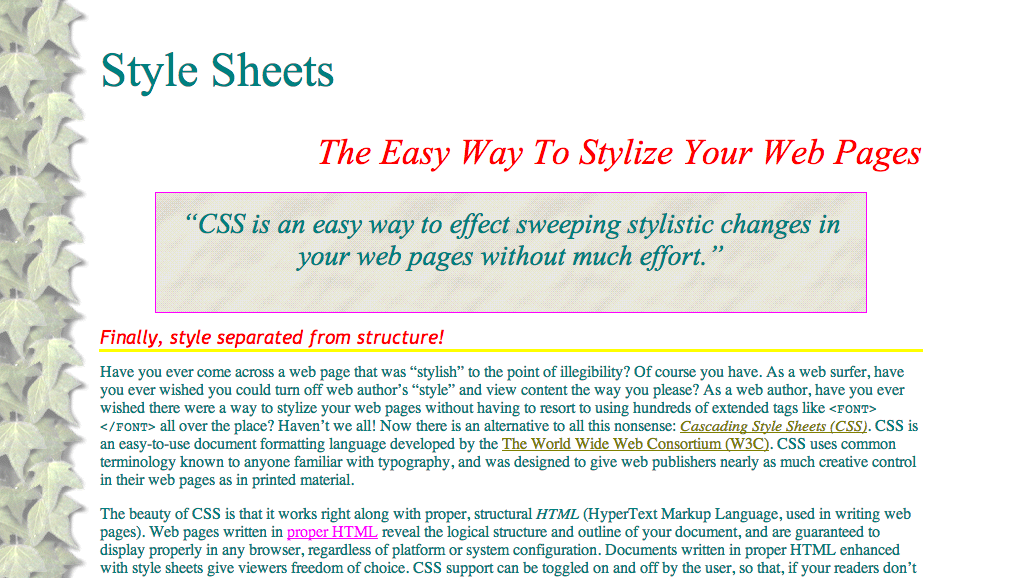
“CSS is an easy way to effect sweeping stylistic changes in your web pages without much effort.”
Finally, style separated from structure!
Have you ever come across a web page that was “stylish” to the point of illegibility? Of course you have. As a web surfer, have you ever wished you could turn off web author’s “style” and view content the way you please? As a web author, have you ever wished there were a way to stylize your web pages without having to resort to using hundreds of extended tags like all over the place? Haven’t we all! Now there is an alternative to all this nonsense: Cascading Style Sheets (CSS). CSS is an easy-to-use document formatting language developed by the The World Wide Web Consortium (W3C). CSS uses common terminology known to anyone familiar with typography, and was designed to give web publishers nearly as much creative control in their web pages as in printed material. The beauty of CSS is that it works right along with proper, structural HTML (HyperText Markup Language, used in writing web pages). Web pages written in proper HTML reveal the logical structure and outline of your document, and are guaranteed to display properly in any browser, regardless of platform or system configuration. Documents written in proper HTML enhanced with style sheets give viewers freedom of choice. CSS support can be toggled on and off by the user, so that, if your readers don’t like your style, but still want to read your content, they can turn off your “kewl” blue on black color scheme, and read your offerings in a more palatable palette. 😉 With style sheets, both web developers and web surfers have more control than ever. Developers have even more control with CSS than they had with extended HTML markup, and viewers finally have the freedom to view web content as they please, without having illegible styles forced upon them. This divorcement of style from structure is also a very good thing for the visually disabled, (including the color-blind!) who rely on text-to-speech synthesizers, and/or special color schemes and enlarged text to make Web content accessible. CSS allows for this by keeping out of the way of HTML.
“CSS takes style specification much further than extended HTML, kludges, and hacks ever could.”
Much more powerful than extended markup!
CSS takes style specification much further than extended HTML, kludges, and hacks ever could. With CSS, you can control not only the font face, size, and color, but also the line height, line spacing, and even letter and word spacing! You can create fancy effects like overlapping text. You can specify text color, background color (or image), border style, border thickness, border color, margins, padding, etc. for every single element of the document, not just for the body! CSS is an easy way to effect sweeping stylistic control in your web pages without much effort. Rather than inserting extended markup tags everywhere you want to change font face, color, size, etc., you make one declaration that applies to every instance of an element. For example, to achieve the level-three header effect on this page, I simply made a single CSS declaration for the H3 element in my style sheet, and every level-three header is affected the same throughout the document! Any time I change my mind, and want to change the style of my document, all I have to change is a line or two in my style sheet; I don’t have to touch the actual page at all! In fact, you can even create one style sheet to use for all the pages in your web site, which saves a lot of formatting time, reduces document size and download time, and brings design unity to your pages.
Some peeks at CSS…
You may look at the style sheet that’s stylizing this page. You will see how relatively simple it is to create a style sheet that determines the style of a plain HTML document.
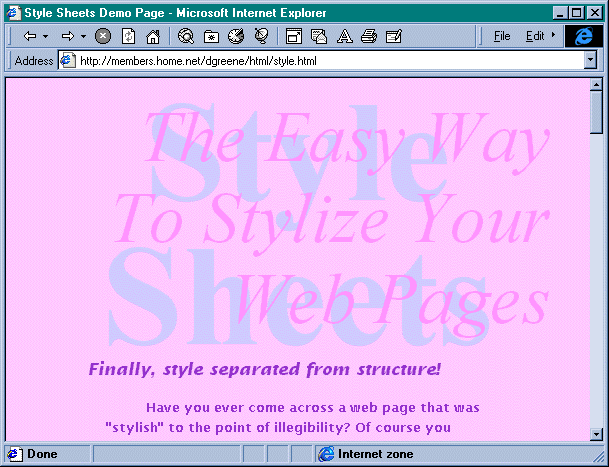
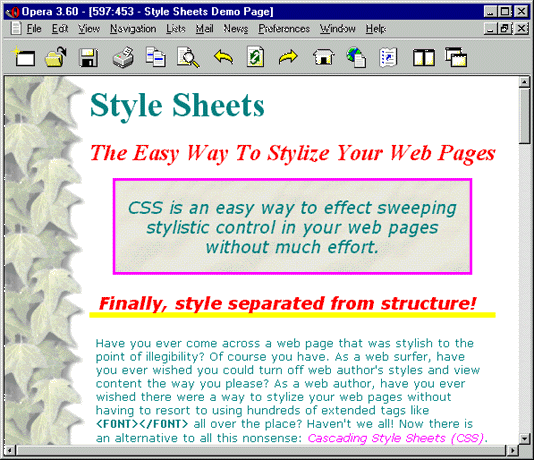
Screenshot of an early version of this page as rendered in Microsoft Internet Explorer 3Screenshot of how this page looked in my “Pretty” stylesheet in Opera 3.6
Want to view this page in different “themes”?
If your browser supports user selection of style sheets, you can select from a number of CSS style sheets I’ve written. See the magic of CSS as the page transforms before your very eyes! (In Mozilla browsers, for example, you go to the menu bar and select View, Page Style…) [I actually wrote five different style sheets for this so that people could view the page and see the changes, but now I’m taking it easy and letting the nice people at WordPress.com do the CSS for me.]
What they say about this page…
“‘There are some really great improvements in CSS2,’ said Web developer Daniel Greene, who has been working with the style sheets since they were introduced.” —Chris Oaks, Wired News
“Besides Microsoft’s dubious CSS Gallery, Daniel’s pages were one of the first places to see Style Sheets in action, back in the early days. : )” —Sue Simms, CSS Pointers
“Esta es una de las primeras páginas que hizo uso real de CSS1, realizada por Daniel Greene.” —Juan R. Pozo, HTML con Clase [Translation: This is one of the first pages that made actual use of real CSS1, brought to you by Daniel Greene.]
“Daniel Greene’s Style Sheets demo page has a column of ivy down the left hand side of every page. He’s used this gif to create the effect.” —WestCiv, learn web standards :: side panels
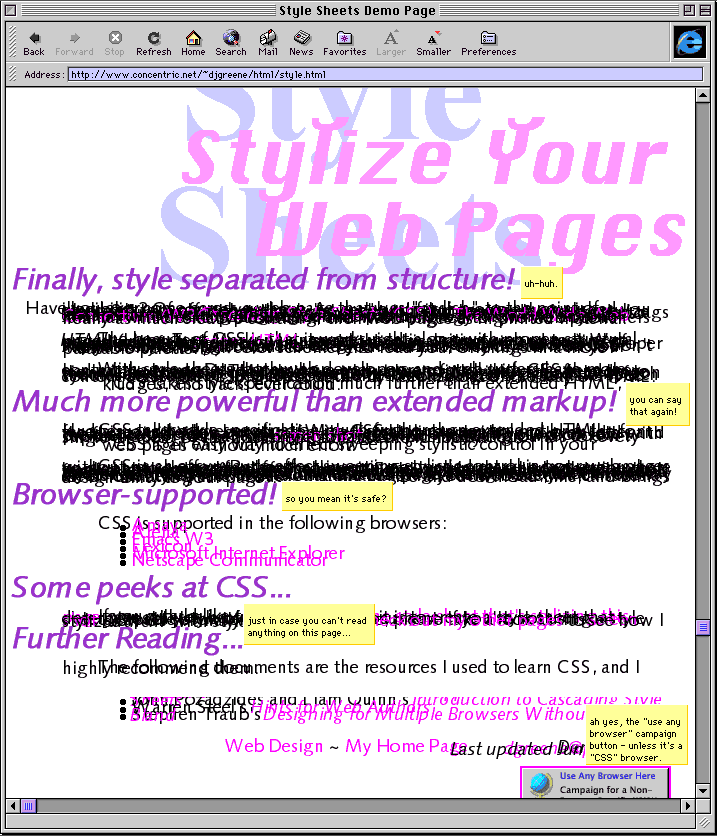
When I first wrote this page in 1996, only one browser (Microsoft Internet Explorer) supported CSS. As more browsers supported CSS, I maintained an updated list. Now, I don’t know of any browser that doesn’t support CSS! Browsers don’t all render CSS in the same way, however, and they never have. It’s no wonder I was one of the first people on the Web to publish in CSS; I was an amateur and I wasn’t going to lose any money or business if certain people couldn’t read some of my pages. It was all experimental! You can see how dangerous it was to publish with CSS by looking at the following:
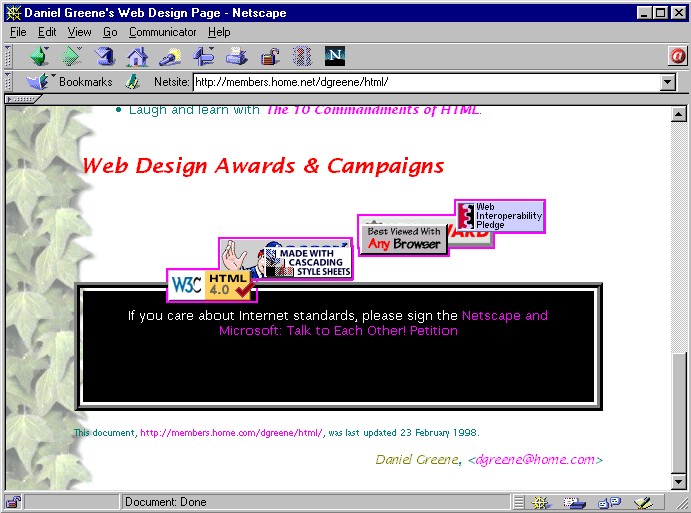
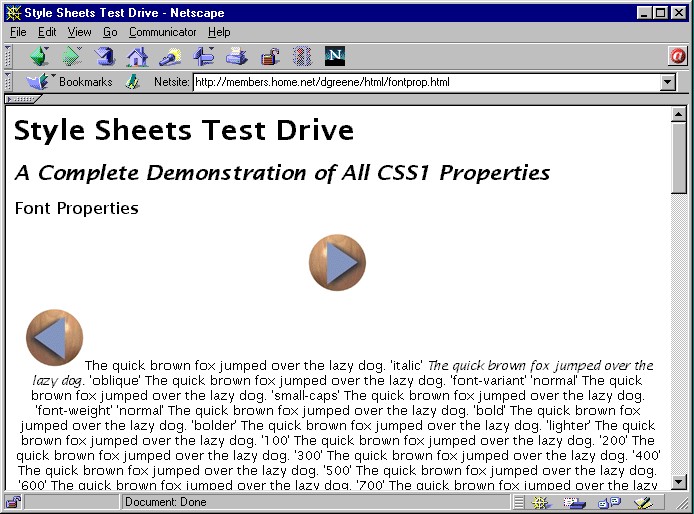
The sad shape of this page in IE MacScreenshot of how Netscape slaughtered this page in the early daysScreenshot of how Netscape wrecked my Font Properties Demo Page in the early days
Daniel Greene originally published this document on danielgreene.com as style.html in August 1996, making it one of the first few documents on the Web to use CSS.

 Daniel Greene
