Tag: tutorials

How-to’s, demonstrations, guides, step-by-step, walk you through and show you how to do.

  • How to get your Flickr photos to show up in your Facebook profile

    [Updated 2/13/12 with current directions.]

    So many of my Facebook / Flickr friends ask me this question, I’m going to blog the answer for the good of whoever wants to know. It’s easy, actually; Flickr will link to your Facebook account and automatically post your latest uploads to your FB profile.

    Just go to your Flick Account Settings and click on the Sharing & Extending tab. See at the bottom of the page? Where you see “Share Flickr photos to other sites,” click “edit” to the right of “Facebook.” If you haven’t connected Flickr to Facebook, click the Connect button. Check “Automatically share your public Flickr uploads anywhere your Facebook updates are shown.” After editing, Facebook should show “Activity Updates: ON.” Link your accounts to share your Flickr updates on Facebook.” When you upload new photos to Flickr, they will automatically be posted to your Facebook profile.

    So, there you have it. That’s how to link your Flickr account to your Facebook account and have your Flickr photos show up in your Facebook profile.

  • Hyperlinks Weave the Web


    Hyperlinks Weave the Web
    Originally uploaded by Daniel Greene.

    There would be no World Wide Web without hyperlinks. Hyperlinks are what allow us to add photos to web pages, link from one page to another, etc. These days, much of this hyperlinking is done for us automatically on sites such as Flickr. But Flickr also allows you to create hyperlinks yourself in many areas of the site, including photo descriptions, comments, and group threads. I create links between photos and members all the time, and it’s easy for me to do so because I’ve memorized the HTML. Once you learn the HTML for a hyperlink, you can be a hyperlinker yourself!

    An HTML tag begins with a less-than sign, created by holding down the shift key while you tap the comma key. Then you type “a” for “anchor” and “href” for “hypertext reference”. Then you type the equals sign (=) followed by a quotation mark. This quotation mark is the beginning of a “container” for the URL, or “uniform resource locator.” The URL is the “web address” for the object to which you are linking. As a mnemonic device, I think of this opening tag as the English phrase, “Anchor hypertext reference is…”

    Recently, I posted a photo I took of a fellow Flickrite at a FlickrMeet. I wanted to link to her photostream so that other people could appreciate her photos. This is a way of showing respect and giving credit, similar to the citations used by academic writers. So, what did I do? Well, first, I wrote the text, “katdavis kindly posed for a portrait.” Then, I decided to make “katdavis” (her username) into a hyperlink. In order to do so, I found her photostream and copied and pasted the URL from my browser’s address bar above the first page of her photostream (the URL being http://www.flickr.com/photos/katdavis/ ). Then, I returned to my photostream— specifically, the photo page containing the portrait of her (the URL being flickr.com/photos/danielgreene/2100926688/ ). I clicked in the description text so that I could edit it, and I placed my cursor just in front of her username. There, I inserted the magic of the Web: I typed <a href= and I pasted the URL I had copied from the first page of her photostream. The “aitch tee tee pee colon slash slash” is absolutely essential to the HTML expression. Immediately following that URL, I typed a closing quotation mark (a.k.a. “close quote” — same as an open quote in this case, since HTML uses only the “inch mark” type quote, not “curly quotes” or “typographer’s quotes”). I then completed my opening HTML tag by typing a greater-than sign. The greater-than sign signifies the end of an HTML tag.

    But the tag would not be complete without the link text being bracketed by the closing HTML tag. So, after I typed the opening HTML tag and typed the link text “katdavis” I enclosed the link text with the closing HTML “anchor” tag which is a less-than sign, slash, a, and a greater-than sign. As you can see, enclosing HTML tags are bracket by less-than and greater-than signs. The slash mark represents a closing HTML tag which marks the end of an HTML expression. You can think of the end of the anchor tag in English as “end of anchor.”

    The resulting hyperlink looked like so when I finished editing it:

    katdavis

    What the visitor to my pages sees is a hyperlink they can follow to jump to katdavis’s photostream, like so: katdavis

    Hyperlinking creates virtual connections that can lead to or supplement the actual connections we have with each other in the real world. Hyperlinks are the sine qua non of the World Wide Web, and are even more important in the social, democratic "Web 2.0." Learning the HTML for creating hyperlinks is one of the steps to joining the ranks of the digerati and harnessing the power of the Web for yourself.

    Have fun, and weave on!

  • Screen Shot of Captioned Google Video

    This is what happens when you have the slightest error in your captioning text. The numbers at the bottom are not supposed to show up — they are time codes — but they showed up because I accidentally typed “0:01.28.500” instead of “0:01:28.500.”

  • Working on bylaws in HTML and CSS

    Yesterday, I spent some time revising the bylaws I wrote for SDCRID so they could be repurposed for AzRID. The AzRID president asked me to do this, because she had heard from a little bird (Rob Balaam, RID Region 5 Representative) that I had done the bylaws for SDCRID. Since there are some interesting lessons to be learned from my work about bylaws and, incidentally, about HTML and CSS, I thought it might be beneficial to share them here.

    First of all, my sources for the bylaws were the RID bylaws, the RID Affliate Chapter Handbook Sample Bylaws (pp 238–257), and the AzRID bylaws (which link will probably be broken soon when they upload the new ones). I also consulted Robert’s Rules of Order Newly Revised when I was writing the SDCRID bylaws. I pretty much followed the Sample Bylaws except when I felt the RID bylaws were clearer or more up-to-date. I also, of course, checked the AzRID bylaws for any special bylaws that needed to stay. That takes care of the bylaws part of it.

    I also had an interesting challenge and a gratifying success with writing the bylaws in a plain-text editor (BBEdit) using XHTML 1.1 and CSS. I did this because I wanted tight control over sectioning and listing. Bylaws documents need to be very structured. One can write in all the sections, subsections, and list numbers, but that is a waste of time, especially if one ever wants to rearrange the order of sections and list items. If one does use styles in a word processing program, sometimes formatting can become corrupted during routine editing operations such as cutting, pasting, deleting, etc., and then one can lose the document structure. Besides, I enjoy the challenge of hand-coding HTML and CSS, and I like to demonstrate the power of these structural and presentational markup languages working hand-in-hand.

    (more…)

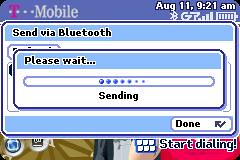
  • How To Send vCard via Bluetooth on Sidekick 3: A Screenshot Tutorial

    How To Send vCard via Bluetooth on Sidekick 3 – a photoset on Flickr

    I made an instructional video for YouTube called How To Send vCard via Bluetooth on Sidekick 3 a few weeks ago. Then I discovered Flickr a couple of weeks ago. Then, just a couple of DAYS ago, I discovered that you could capture screenshots on the Sidekick 3. I put it all together and thought, “What a great way to put together a tutorial online!” So here it is.

    Blogged with Flock